PHIGHTING! codes explained
If you are looking for free rewards, the important answer is simple: PHIGHTING! does not have a code-redemption system. There are no active promo codes, expired reward codes, or a hidden box where you can claim coins, boosts, or skins.
The phrase “PHIGHTING! code” usually refers to a four-digit server code instead. These numbers let players join a specific public lobby, making it much easier to group up with friends than repeatedly entering random matches.
Be cautious with websites listing codes such as launch rewards, seasonal bonuses, free Bux, or XP boosts. A real code system would include a redemption menu and official announcements, but PHIGHTING! currently has neither.
| Code type | Available? | What it does |
|---|---|---|
| Reward or promo code | No | No redemption feature exists for free Bux, skins, or boosts. |
| Four-digit server code | Yes | Joins a matching public Beginners, Opens, or Pros server. |
| Private-server access | Yes, by invite | Lets invited players enter a Roblox private server. |
| Private-server commands | Yes, for authorized players | Adjust teams, maps, match settings, and more. |
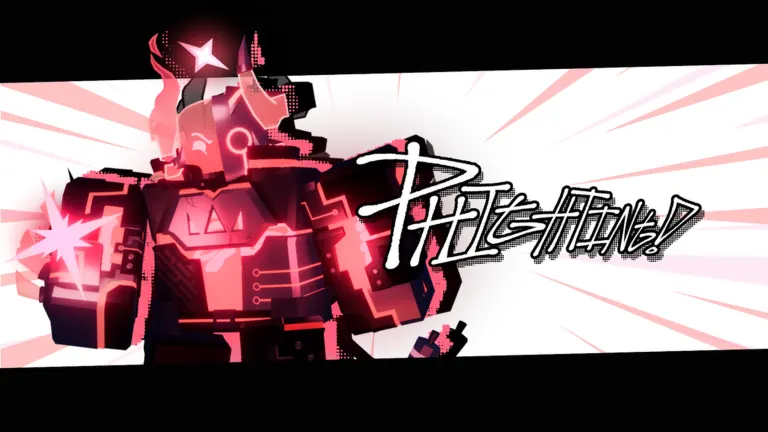
How to use a four-digit server code
Server codes are designed for joining friends in public matches. Each applicable server has its own four-digit number, so you need the exact number from a friend already playing in that lobby.
Start in Crossroads and speak with Zuka. When prompted to head into battle, choose the server browser instead of joining a random game. From there, select the option to join by code, enter the four digits, and confirm.
Follow these steps:
- Launch PHIGHTING! through Roblox and load into Crossroads.
- Find and interact with Zuka.
- Choose the option to enter a battle.
- Open Servers rather than choosing a random lobby.
- Select Code instead of the server list.
- Type the four-digit code your friend gave you.
- Confirm the selection and wait for the teleport.
Before retrying a code, check these quick details:
- Confirm that all four digits match the code your friend sees.
- Ask whether the lobby has filled, ended, or moved to another server.
- Make sure you meet the level requirement for the selected server type.
- Use a Roblox invitation instead if your friend is playing in a private server.
A valid code puts you in the corresponding lobby if there is room. If the game cannot find it, check that every digit is correct and ask your friend whether the match has ended, changed servers, or filled up.
Server numbers are numeric, so capitalization does not matter. Do not add letters, spaces, or supposed promo-code prefixes to the number.
| Server type | Access requirement | Player limit | Main benefit |
|---|---|---|---|
| Beginners | Below level 76 | 10 | Earns 25% more Bux than Opens. |
| Opens | Available to all players | 10 | Standard public matchmaking with all normal maps and modes. |
| Pros | Level 125 or higher | 10 | Grants 25% more XP and contributes to separate Phestival scoring. |
| Private servers | Roblox private-server invite | 12 | Custom matches, freecam, spectator tools, and expanded controls. |
Choosing the right server
The best server depends on whether you want to learn, earn Bux, gain experience, or simply play with a group. Beginners servers are useful while available because they protect newer players from some of the broader skill range found in Opens and provide a Bux bonus.
Once you reach level 76, Beginners servers are no longer accessible. Opens then become the default public option. They allow players of every level, so matches can vary widely in difficulty, team coordination, and character familiarity.
Pros are for experienced players who have reached level 125. They increase XP earned by 25% and have their own Phestival point contribution. However, sword events and regular bonus rounds are disabled there, which may make them feel different from typical public matches.
Private servers work differently from the public server-code system. They do not have join numbers; their listing displays as “OPEN 0.” The owner must invite players through Roblox’s private-server tools.
Private servers are excellent for practicing movement, trying maps, organizing community events, or setting up controlled matches. They do not provide normal progression rewards, though, so you cannot earn Bux, XP, titles, or most badges through private matches.
| Goal | Best place to play | Why |
|---|---|---|
| Learn the basics | Beginners | Smaller skill barrier and a 25% Bux increase. |
| Play normally with anyone | Opens | Full public experience for every level. |
| Gain XP after unlocking Pros | Pros | 25% additional experience per match. |
| Join a specific friend | Their public server code | Sends you to their exact public lobby. |
| Practice or run custom games | Private server | Allows custom maps, teams, and settings. |
Getting Bux and skins without redemption codes
Although a phighting! code cannot unlock free cosmetics, you can earn Bux through regular matches and level progression. The most dependable approach is to play complete Phights, contribute to your team, and improve with characters that suit your strengths.
A match win awards 50 Bux, while a loss gives 25 Bux. Kills are worth 75 Bux and assists award 25 Bux. Joining a game already in progress does not provide the same match-completion payout, so playing from the beginning is generally more productive.
Beginners servers increase Bux income by 25%, making them valuable while you are eligible. Bonus rounds and multipliers can also dramatically increase earnings when they appear in eligible public servers.
Leveling provides additional Bux separately from normal match payouts. Every level gives 250 Bux, with larger bonuses at certain milestones. This means steady XP progress matters even if you are saving for a costly skin.
| Progress event | Bux reward |
|---|---|
| Win a Phight | 50 Bux |
| Lose a Phight | 25 Bux |
| Earn a kill | 75 Bux |
| Earn an assist | 25 Bux |
| Gain any level | 250 Bux |
| Every 5 levels | 500 bonus Bux |
| Every 10 levels | 1,000 bonus Bux |
| Every 25 levels | 2,500 bonus Bux |
| Every 50 levels | 5,000 bonus Bux |
| Every 100 levels | 10,000 bonus Bux |
Spend earned Bux at ZUKA’S STOP N’ SHOP in Crossroads. The shop rotates discounted skins, with some offers changing daily and a featured discounted item changing less often. Featured options are personalized, so another player may see different skins and prices.
Newly released skins may not immediately appear in the shop. Some are initially found around Crossroads before being added to the regular store in a later update. Exploring the hub can therefore be worthwhile even when you are not queuing for a match.
Avoid treating Brokercoins as a gameplay shortcut. They are primarily a donation purchase and do not provide an in-match advantage. If your goal is cosmetics, playing matches and saving Bux is the direct route.
FAQ
Are there any active PHIGHTING! reward codes?
No. PHIGHTING! has no redemption menu and no active promo codes for Bux, skins, boosts, or other rewards.
What is a phighting! code used for?
A phighting! code is normally a four-digit public server number. Enter it through Zuka’s server menu to join the same Beginners, Opens, or Pros lobby as another player.
Why does my server code not work?
Check the four digits carefully. The server may have filled, ended, restarted, or been replaced by another lobby. Ask the player who shared it to confirm the current number.
Can I use a server code to join a private server?
No. Private servers require an invitation through Roblox and do not receive four-digit server codes.
Can I earn Bux in a private server?
No. Private servers are for custom play and practice. They do not award regular Bux, XP, titles, or Phestival progress.